Your Bexio.Wherever you work.
Invoices, receipts and contacts, right on your phone. Works offline, with Swiss AI. Free for iPhone and Android.
Help shape the switching app
Vexlo is built with the people who use it. You decide what comes next: tell us what is missing in your daily work and we review every request personally.
- Submit feature requests directly, no account, no detours.
- We email you as soon as your request ships.
- Your ideas feed the roadmap and shape every update.
Why Vexlo?
Your entire Bexio in one app: invoices, bills, contacts, payroll and Swiss AI that names your receipts. Offline-capable, secure, free.
Lightning fast
Open the app, your numbers are there – no loading spinners. Vexlo shows your data instantly and refreshes quietly in the background.
Offline-capable
On the train, in the basement, at a client with no signal: invoices, receipts and contacts are there even without internet.
Secure
Your Bexio password never leaves Bexio. Vexlo signs you in via OAuth and only stores a token you can revoke anytime.
App lock
Lock the app with Face ID or fingerprint – your business numbers stay private, even if someone's holding your phone.
Instantly informed
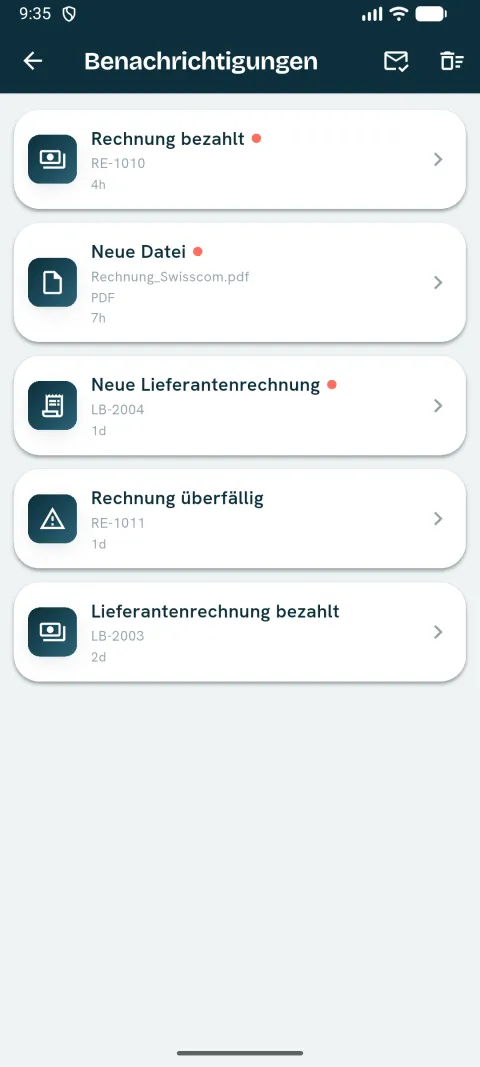
Invoice paid? Due date missed? You know right away – without opening the app.
Magic fixes
Tidy up addresses and phone numbers in one step. Bulk-clean your contact data with smart suggestions.
Invoices & overview
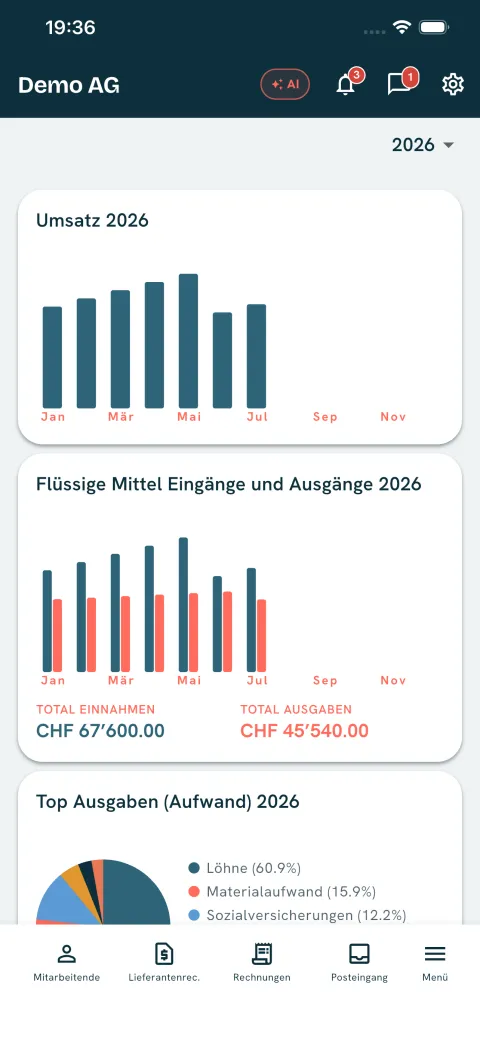
All your key numbers at a glance, plus create, edit and send invoices as PDF – straight from your phone.
Quotes
Create, send and chase quotes. Once the customer says yes, one tap turns it into an invoice.
Dunning & supplier bills
Create and send payment reminders, review and approve supplier bills.
Banking & matching
See your bank accounts with IBAN and latest movement, open an account for all transactions with their reconciliation status. Vexlo suggests which open invoice or supplier bill matches a payment, including amount, direction and a document preview. Reconciliation itself stays in bexio, the suggestions save you the searching.
Contacts & articles
View, edit and clean up contacts and articles on the go.
Employees & payroll
Manage employees, view payslips and salary statements on mobile and share them securely.
Receipts, inbox & settings
Scan receipts, manage files in your inbox, and set up the app the way you like.