Bexio on the iPad and Android tablet: Vexlo for big screens
Vexlo now runs on iPad and Android tablets too, with sidebar, list and document side by side. Here's how we built the app for big screens and what's different from the phone.
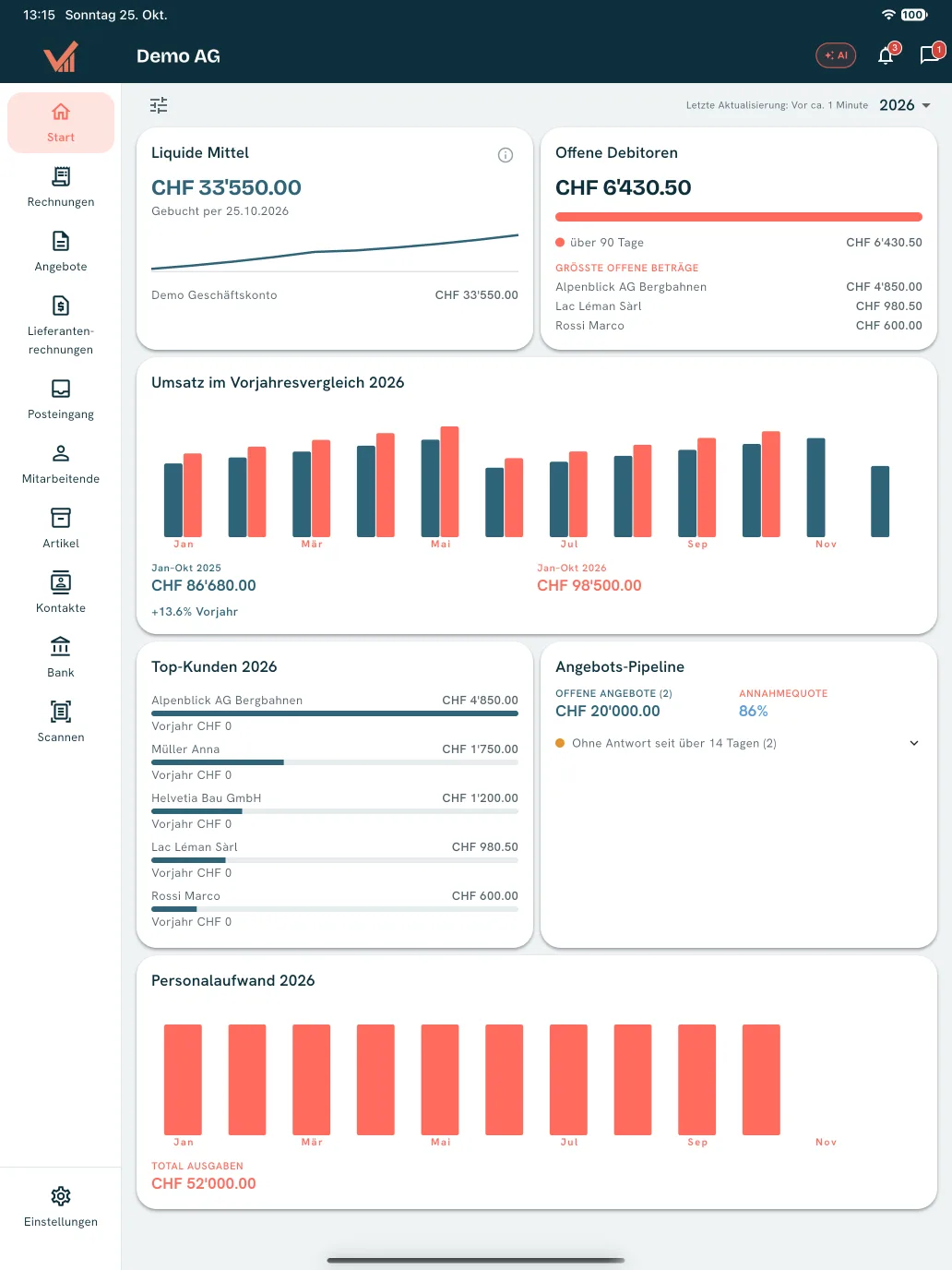
Since version 1.5, Vexlo runs on the iPad and on Android tablets. On the big screen you see the list and the document side by side, navigate via a sidebar instead of the bar at the bottom, and edit invoices with details and line items in view at the same time. It's the same app as on your phone, with the same data from your Bexio.
Do I need a separate app for the iPad?
No. Vexlo is a single app for iPhone, iPad and Android. You download it from the App Store or Google Play and sign in with your Bexio account. On a tablet, the app detects the larger screen and adapts by itself. There's no extra subscription or add-on version for it.
What's different on the tablet compared to the phone?
On the phone, Vexlo always shows one thing at a time: first the list, then the document, then back. On the tablet, the app makes use of the width.
| Smartphone | Tablet | |
|---|---|---|
| Navigation | Bar at the bottom with your favourites | Sidebar on the left with all sections |
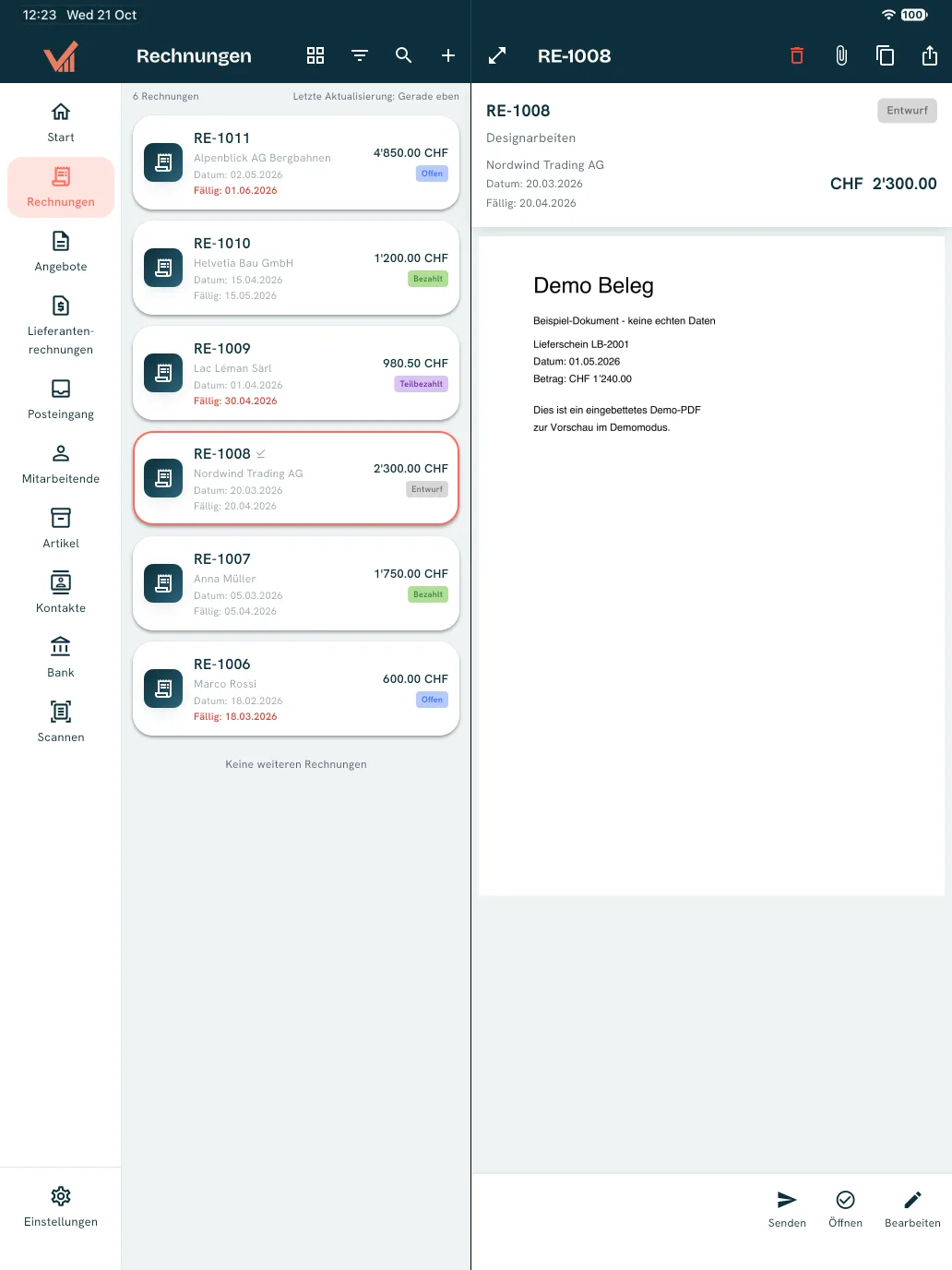
| Lists | List, document opens as a new page | List on the left, document next to it on the right |
| Editing invoices | Details and line items as tabs | Details and line items side by side |
| Dashboard | Key figures stacked | Key figures in two columns |
| Orientation | Portrait | Portrait and landscape |
| Keyboard | On-screen keyboard | Keyboard shortcuts as well |
How do I work with list and document side by side?
Tap an invoice, a supplier bill, a quote or a contact in the list, and the document opens on the right. The selected card gets a coloured border, so you always see what's open on the right. You can tap the next invoice straight away, without going back.
This works the same in the list and in the grid view. When you create a new document or copy an existing one, Vexlo selects it on the right right away. And if you need more room, open the document full screen with the button at the top.
Does Vexlo work in Split View or in landscape?
Yes. Vexlo adapts to the width of the window, not to the device. If the window is wide enough, the sidebar and the second column appear. Make it narrower, for example in Split View next to another app, and Vexlo switches to the phone layout. The open document stays as a full page, and when you widen the window again it returns to the right column.
In landscape and on the 13-inch iPad, the sidebar gets a little wider, and lists in grid view get more columns.
Which keyboard shortcuts are there?
With a hardware keyboard, such as the Magic Keyboard, you control the most important actions without a single tap:
- ⌘F opens search
- ⌘N creates a new document
- ⌘R refreshes the list
- Esc closes the open document or goes back one page
Can I customise the sidebar?
Yes. Press and hold a section in the sidebar and drag it to where you want it. The order is the same as for the favourites on the phone: whatever you sort on one device also applies to the menu of the other layout.
How did we build it?
Vexlo is written in Flutter, a framework that covers iOS and Android with one codebase. Instead of a second tablet app, we built every screen so that it knows its width:
- One threshold instead of many in-between steps. From a window width of about 700 points, Vexlo shows the sidebar and columns, below that the phone layout. When you resize the window, there's no state in between.
- One shared building block for all lists. Invoices, quotes, supplier bills, contacts, articles, employees and bank all share the same logic for selection, columns and falling back to the full page.
- Dialogs lock the whole app. When a dialog or a sheet opens, the sidebar is locked too. That way you don't jump into another section in the middle of an edit.
- Tested on real devices. Before the release, the tablet version ran as a beta for several weeks, among others with a customer using an iPad mini and an iPad Pro.
Does Vexlo run on Android tablets too?
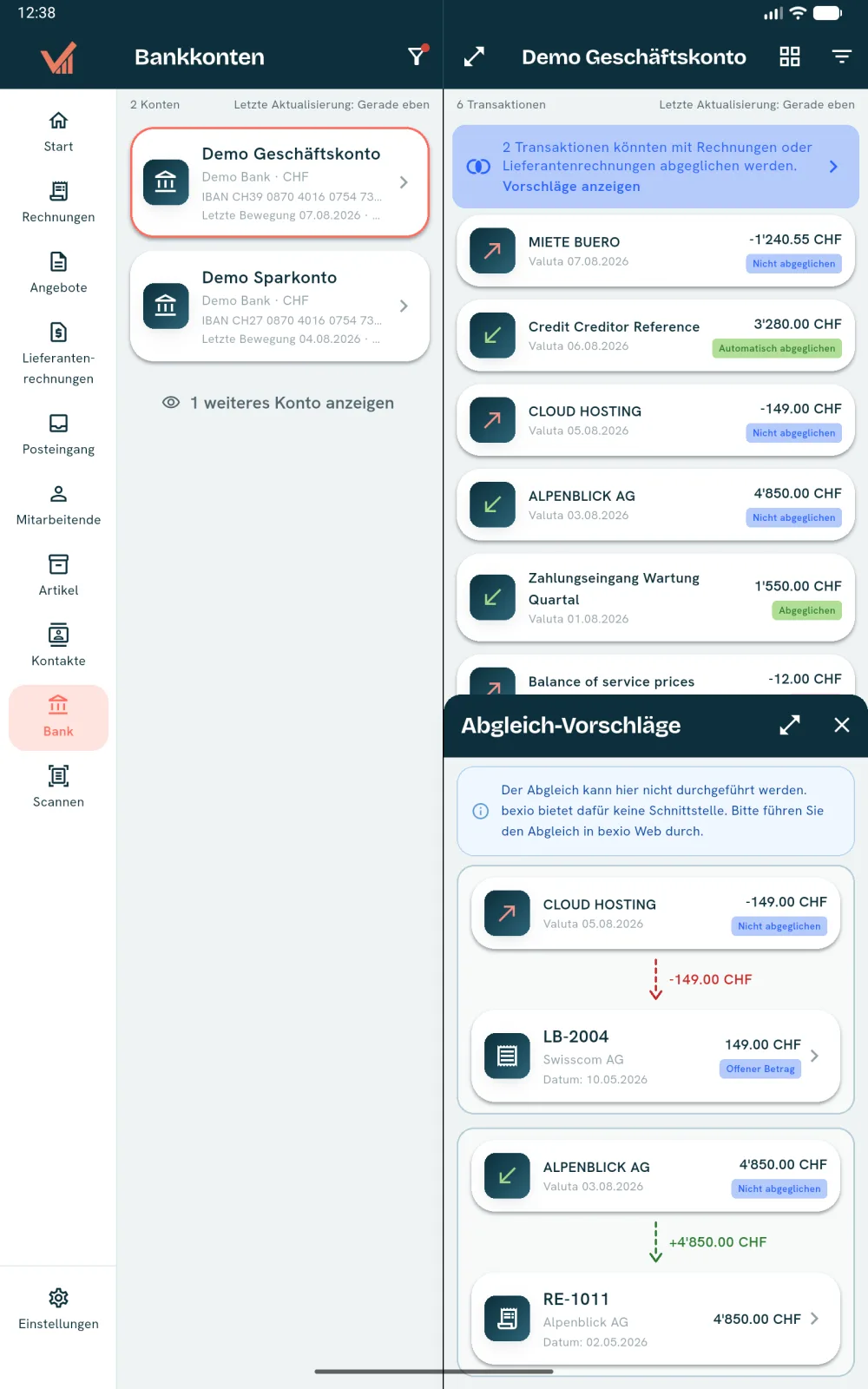
Yes, with the same layout as on the iPad: sidebar, list and document side by side, portrait and landscape. In Bank, for example, the accounts are on the left and the transactions on the right, and the matching suggestions slide up in the right column. Any Android device whose shorter screen side measures at least 600 points counts as a tablet.
What you get done on the go on your phone and in the office on your tablet is shown in the complete guide to Bexio on the go. Everything the dashboard can do on the tablet is covered in the guide to the Bexio dashboard with widgets.