Bexio dashboard with widgets: your key figures in the app
The new dashboard in Vexlo shows liquidity, open receivables, revenue vs. the previous year and more as widgets. You choose what you want to see and arrange it yourself.
The dashboard is the first screen in Vexlo. Since version 1.6 it's made up of widgets: small cards, each with one key figure from your Bexio, such as liquidity, open receivables or revenue vs. the previous year. You decide which widgets you see and in which order.
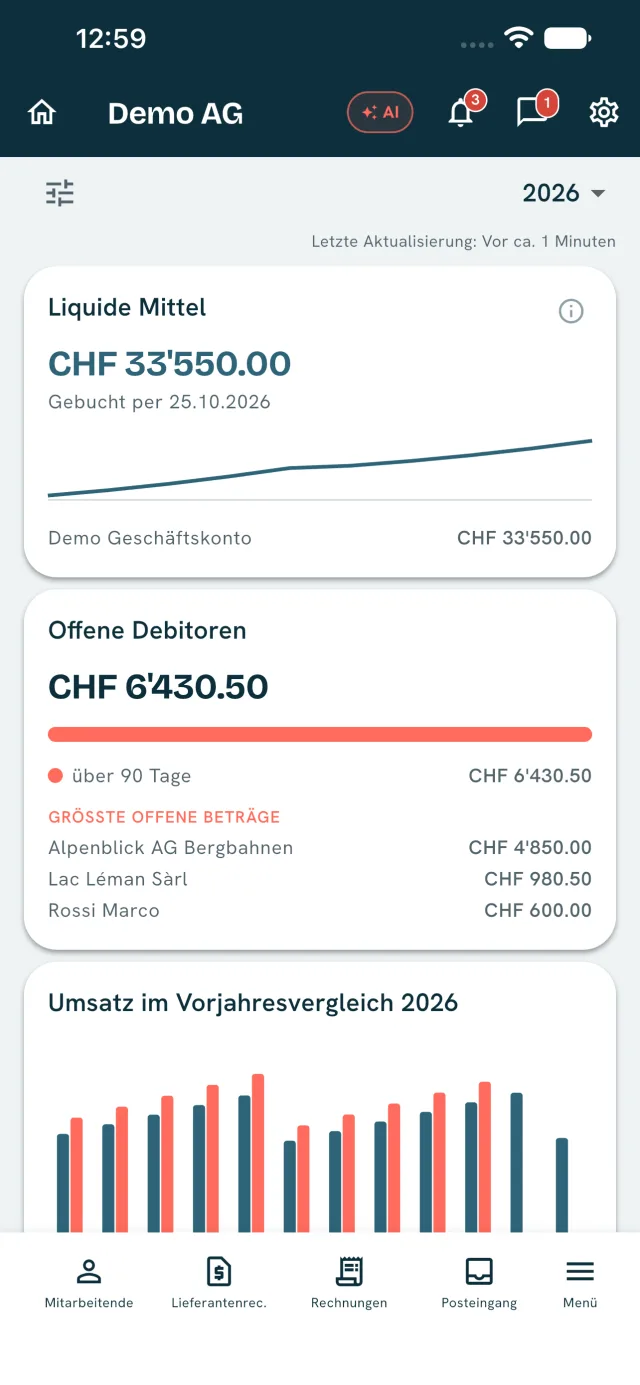
Which widgets are there?
There are twelve widgets to choose from. The ones marked "Bexio default" are the ones you know from the dashboard in Bexio, the others only exist in Vexlo.
| Widget | What it shows |
|---|---|
| Cash and bank | Balance of your bank accounts with history |
| Cash forecast | Expected account balance over the coming weeks |
| Open receivables | Open invoices by age, with the largest amounts |
| Revenue vs. previous year | Monthly revenue this year and last year side by side |
| Top customers | Your customers with the highest revenue, with the previous year's figure |
| Quote pipeline | Open quotes, acceptance rate, quotes without a reply |
| Personnel costs | Payroll costs per month |
| VAT owed (estimate) | Estimated VAT you owe the Swiss Federal Tax Administration (ESTV) |
| Open supplier bills | What you still have to pay, open and overdue |
| Revenue | Revenue per month (Bexio default) |
| Cash inflows and outflows | Money flows per month (Bexio default) |
| Top expenses | Largest expense accounts (Bexio default) |
How do I customise the dashboard?
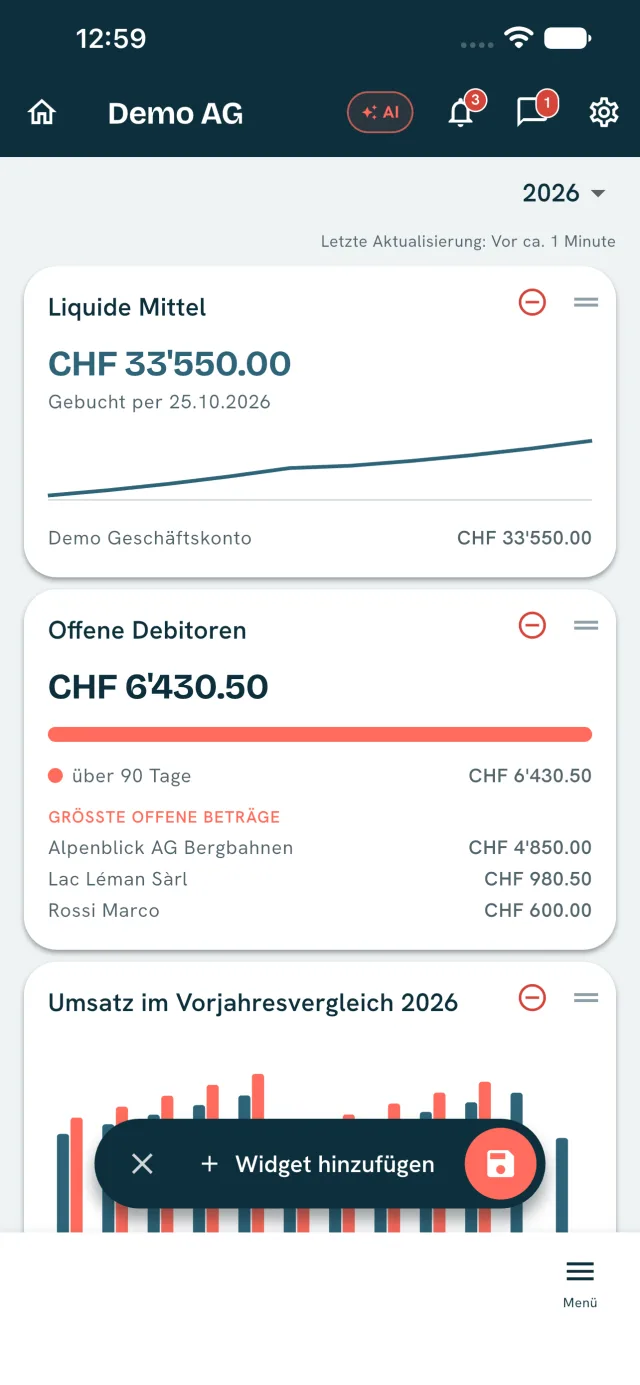
Tap the customise icon at the top left. Each widget then gets a red minus to remove it and a handle to move it. At the bottom, a bar appears with "Add widget" and the save button.
"Add widget" opens the list of all widgets. At the top are the ones you already use, below them the rest. The arrow next to a widget shows you a preview with your real figures first, the plus adds it. "Restore default" resets everything to the default setup.
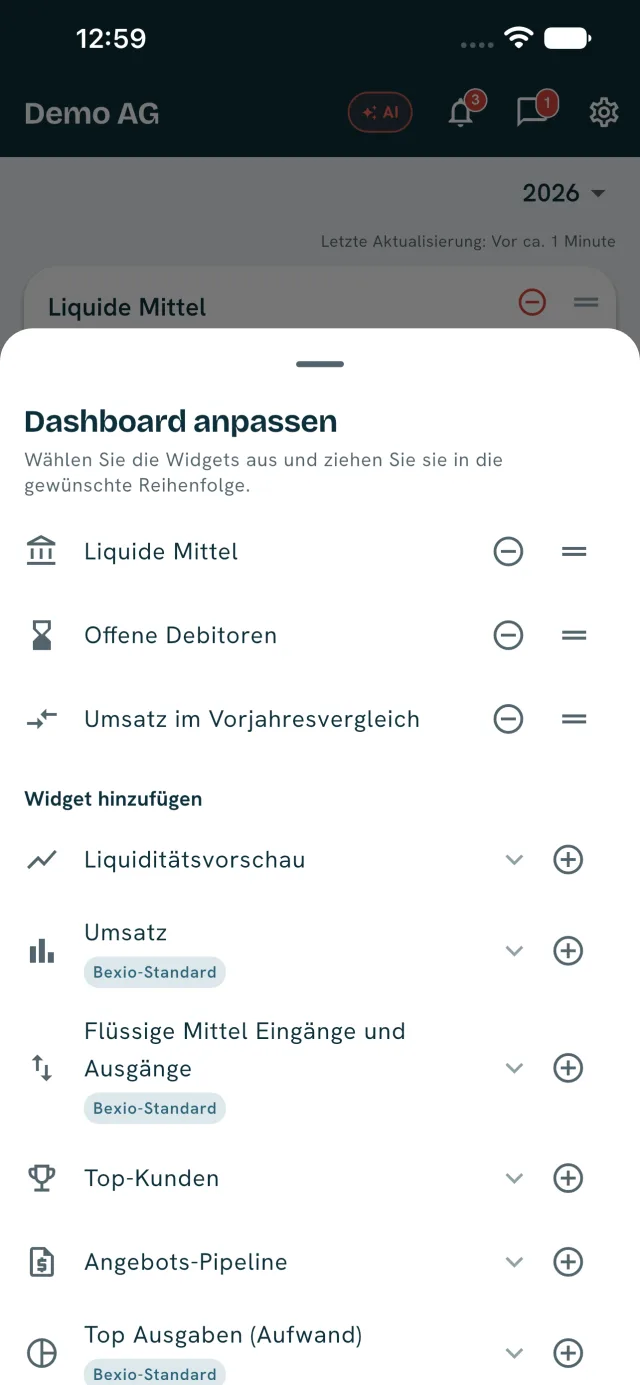
The new arrangement only takes effect once you save. The X discards all changes.
Where does the cash and bank figure come from?
Bexio calculates cash and bank from the accounting. If the bank isn't reconciled continuously, that figure often lags weeks behind. That's why Vexlo takes the booked opening balance and adds the movements from the Bexio bank import. So you see a balance close to the real account, even if not everything has been booked yet.
Accounts without a bank import show the booked balance. The info icon in the widget explains how each amount is calculated.
How is the cash forecast calculated?
The forecast starts from the current balance and adds open invoices, open supplier bills and recurring payments from the past, such as salaries or rent. Below it you see the expected inflows and outflows as totals. It remains an estimate: if not everything is booked correctly in Bexio yet, it will be off accordingly.
Can I look at previous years?
Yes. Choose the year at the top right. All widgets then show that year's figures, and the previous-year comparison shows the year before. Below the year picker you can see when the figures were last updated.
What does the dashboard look like on the iPad?
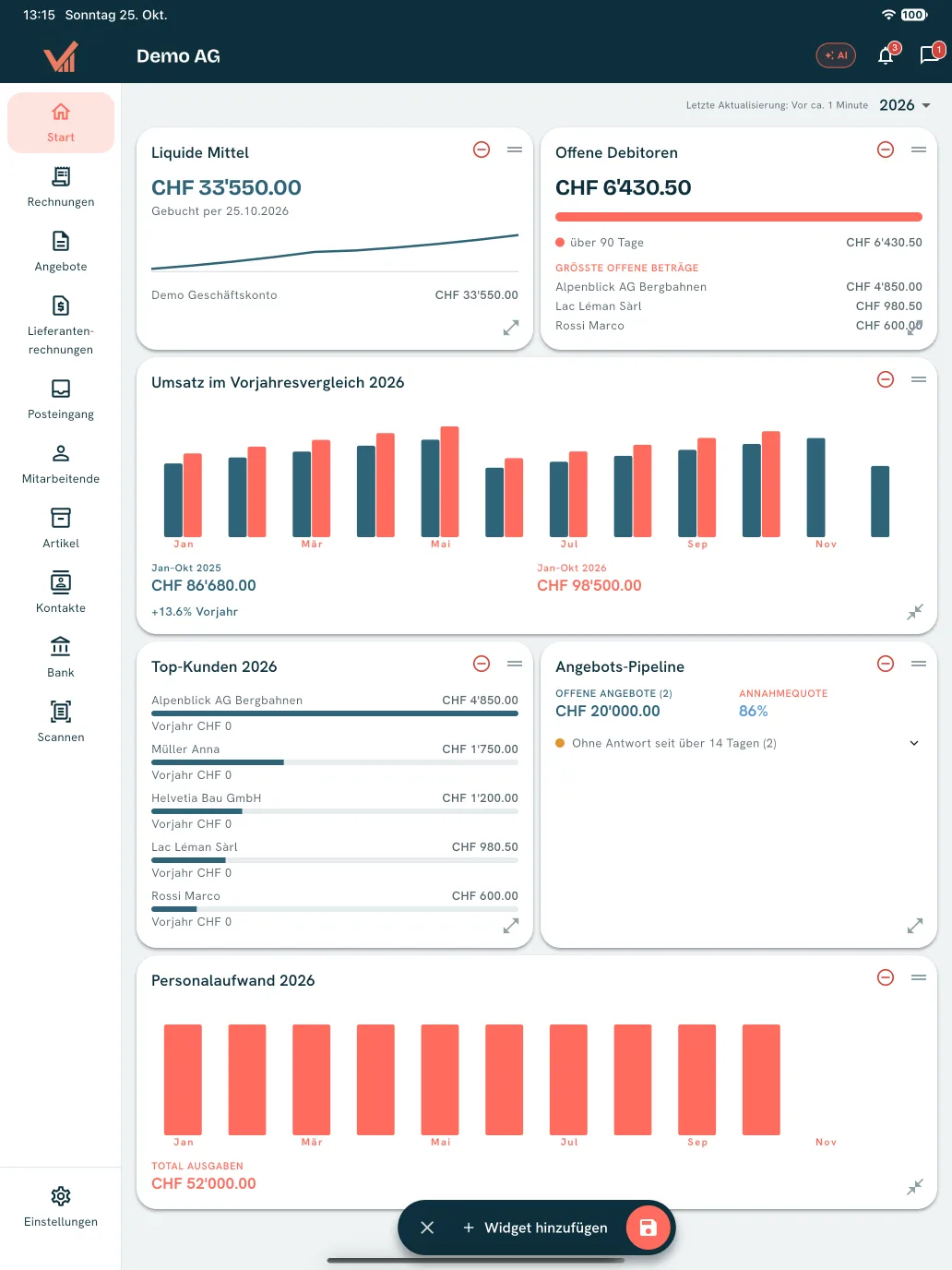
On the tablet, the widgets sit in two columns. Wide widgets like revenue vs. previous year or personnel costs use the full width. In edit mode you switch each widget between half and full width.
What happens if I'm missing a Bexio permission?
Each widget needs certain permissions in Bexio, for example for invoices or accounting. If you're missing one, the widget doesn't just stay empty: it names the missing permission, so you can request it from your Bexio administrator.
Does the dashboard work offline too?
Yes. Vexlo stores the most recently loaded figures on your device. Without a connection you see that state, and with a connection the dashboard updates in the background.
How the dashboard fits into your everyday work with Bexio is shown in the complete guide to Bexio on the go. How Vexlo works on big screens is covered in the guide to Bexio on the iPad and Android tablet.